Publish on Finn.no
Last updated: August 3, 2026
Where: job → Job post & sharing → a channel of type Finn.no.
If you're hiring in Norway, Finn.no is the broadest single source of candidates you can reach — and Vouch publishes there for you without leaving the app.
"Reach Norway's largest job marketplace with one click. Your listing will be submitted to Finn.no on behalf of your company through Vouch's partner account. Candidates who apply will be directed back to your Vouch job page."
Setup (required fields):
Finn.no Partner ID — your advertiser/partner ID from Finn.no. Saved for future use, so you only enter it once. See below for how to find it.
Job fields — Sector\, Duration\, Occupation\ (up to 3), Industry\ (up to 3). Heading (optional, defaults to the listing title).
Images (optional) — select images from the listing's header or image-grid sections.
Contact information (optional) — name, email, phone.
Application deadline (optional).
Choose Publish to Finn.no — the toast confirms "Publishing to Finn.no…". Once live, the channel shows Published on Finn.no with a View on Finn.no link and a Finn kode.
After this is pushed, navigate back to your Finn Business account, verify that it looks correct, purchase your Finn package and publish.
Good to know & troubleshooting
This is a one-time publish — you can't update the Finn listing from Vouch after publishing. Need to fix a typo or extend the deadline? Log in to Finn.no directly. Because of that, give the fields a careful read before you hit publish.
No Partner ID? You'll need an advertiser account with Finn.no first — that part happens on Finn's side, then you paste the ID here once.
How to fetch the Finn PartnerID
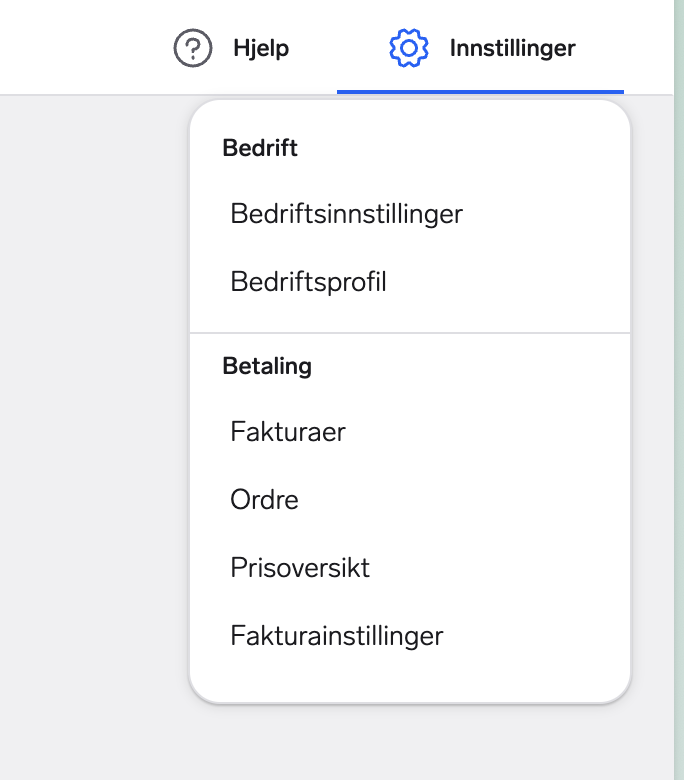
Step 1: Go to Settings -> Business Settings
Press "Bedriftsinnstillinger" in the top right Settings menu.
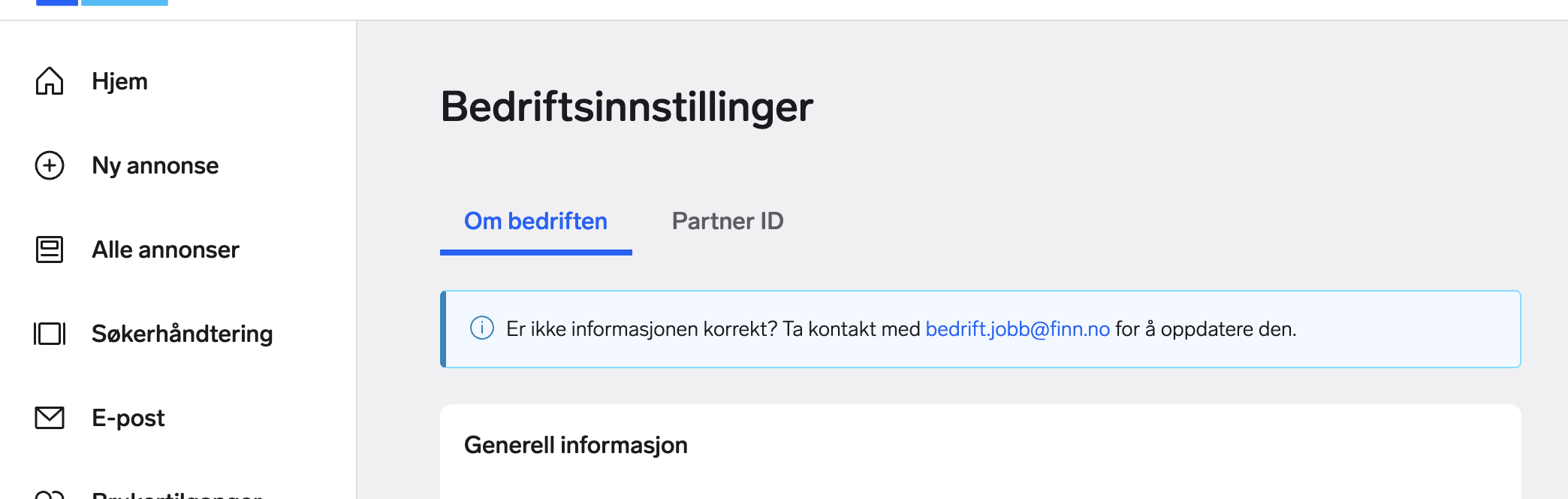
Step 2: Navigate to the PartnerId menu
Press Partner ID in the menu on the middle of the screen.
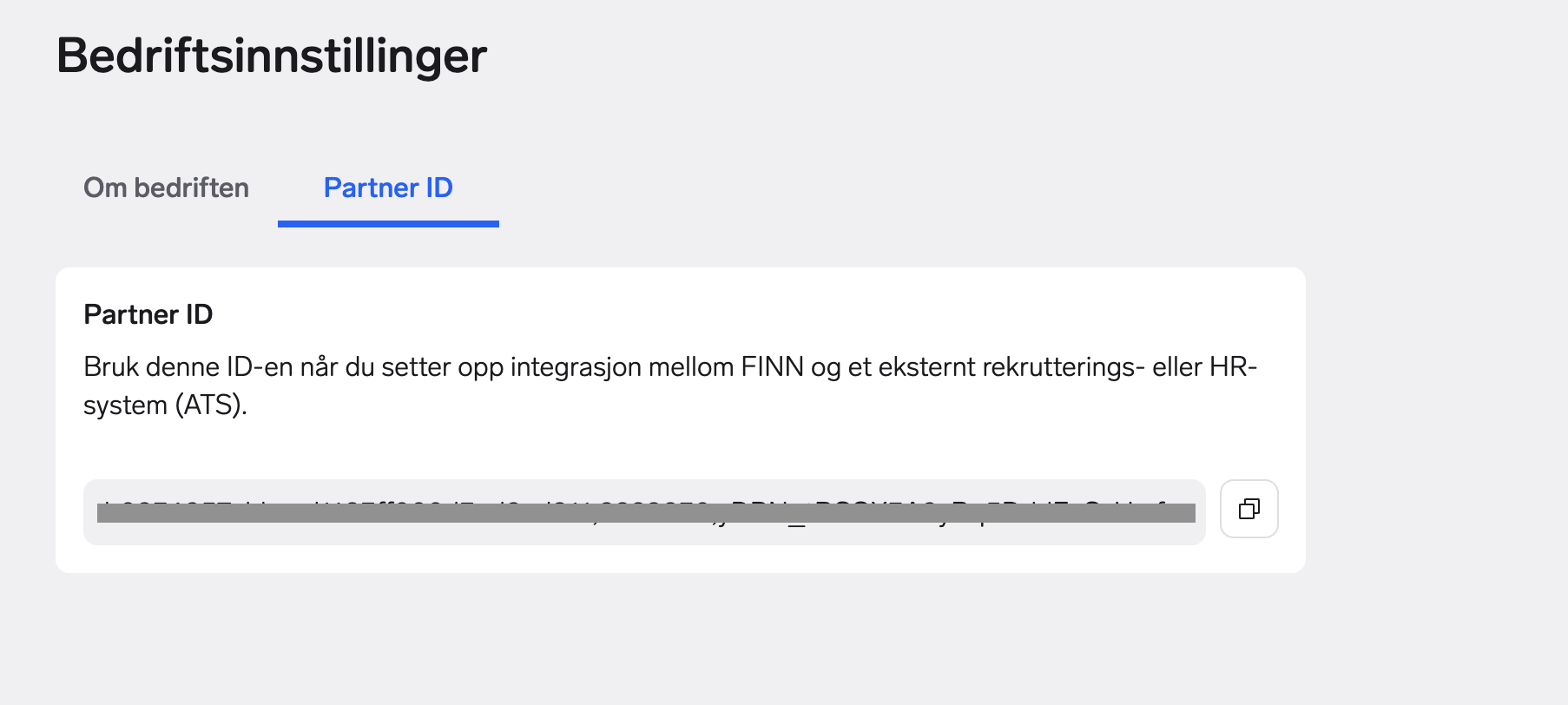
Step 3: Copy the PartnerID string
Copy the entire string and paste it into Vouch.