Add custom domain
Last updated: February 3, 2025
Setting up a custom domain for your careers page makes your recruitment efforts look more professional and seamlessly aligned with your brand. This guide will walk you through the process step-by-step. If you’re not familiar with DNS settings, don’t worry – you can always contact your IT department or a developer for assistance.
Step 1: Decide on a Subdomain
A subdomain is a prefix added to your main domain. For example:
careers.yourcompany.com or jobs.yourcompany.com
You’ll need to decide what subdomain you’d like to use for your careers page.
Step 2: Update Your DNS Settings
Log in to your domain provider account (e.g., GoDaddy, Google Domains, Cloudflare, etc.).
Navigate to the DNS settings for your domain.
Add a CNAME record with the following details:
Name: The subdomain you’ve chosen (e.g.,
careersif you wantcareers.yourcompany.com).Value/Target:
proxy.vouch.careers(this is the destination your subdomain should point to).TTL: Leave as default or set it to the minimum value available.
If you’re unsure how to update DNS settings, contact your IT department or developer for help.
Step 3: Add the Subdomain in Vouch
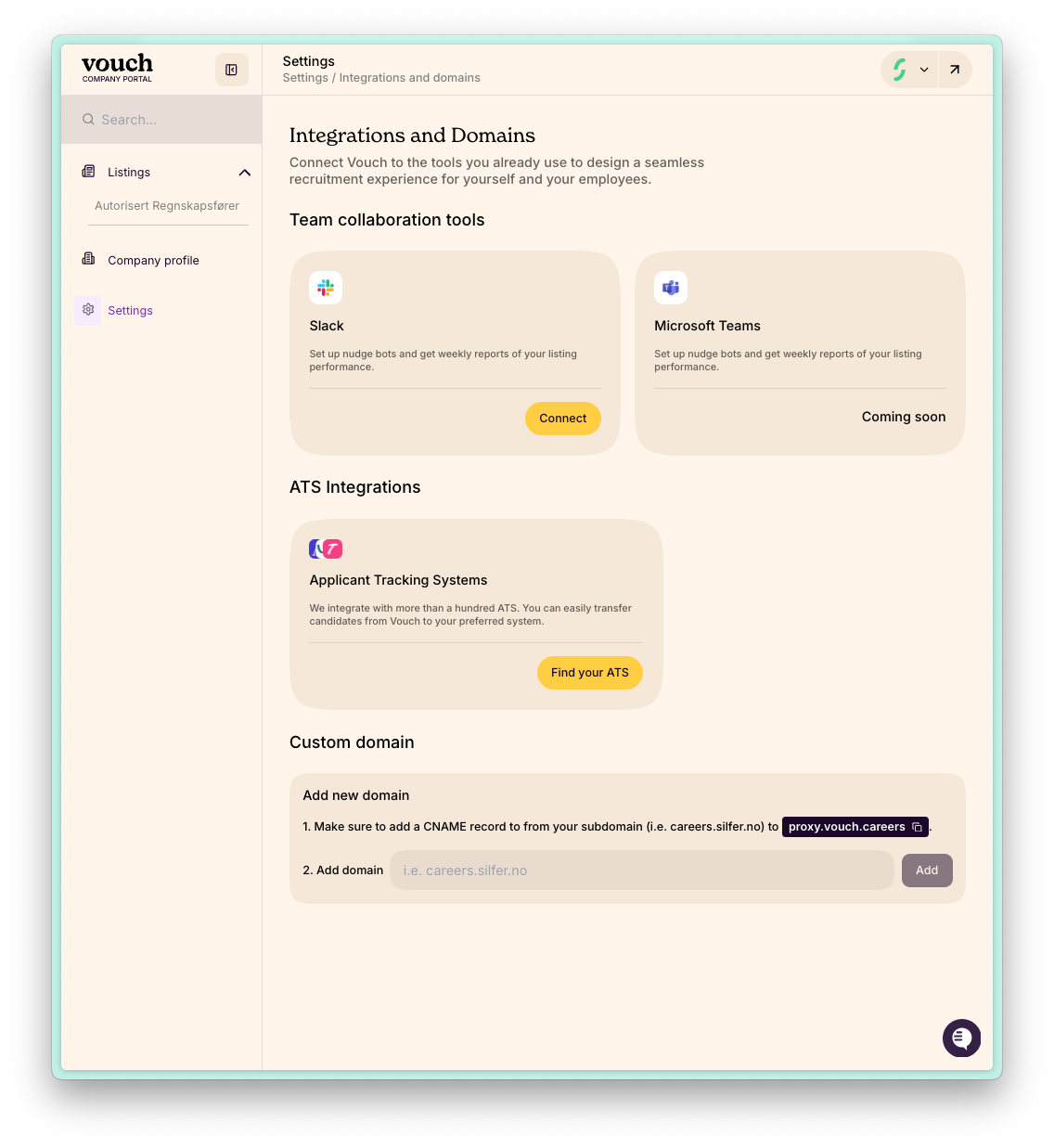
Log in to your Vouch account.
Go to Settings > Custom Domain.
Enter your subdomain (e.g.,
careers.yourcompany.com) in the field provided and click Add.
Step 4: Verify the Setup
It can take an hour or two for DNS changes to propagate. Once your DNS settings are updated:
Return to the Custom Domain section in Vouch.
Check if your custom domain is active. Vouch will automatically verify the connection.
Troubleshooting
It’s not working! Double-check the CNAME record in your DNS settings to ensure it points to
proxy.vouch.careers.Still stuck? Reach out to your IT department, developer, or Vouch support team at support@vouch.careers.
Setting up a custom domain might sound technical, but it’s a one-time task that boosts your branding efforts significantly. Don’t hesitate to ask for help if you need it!