Applying directly to a job
Last updated: February 28, 2025
Applying to a job on Vouch is different
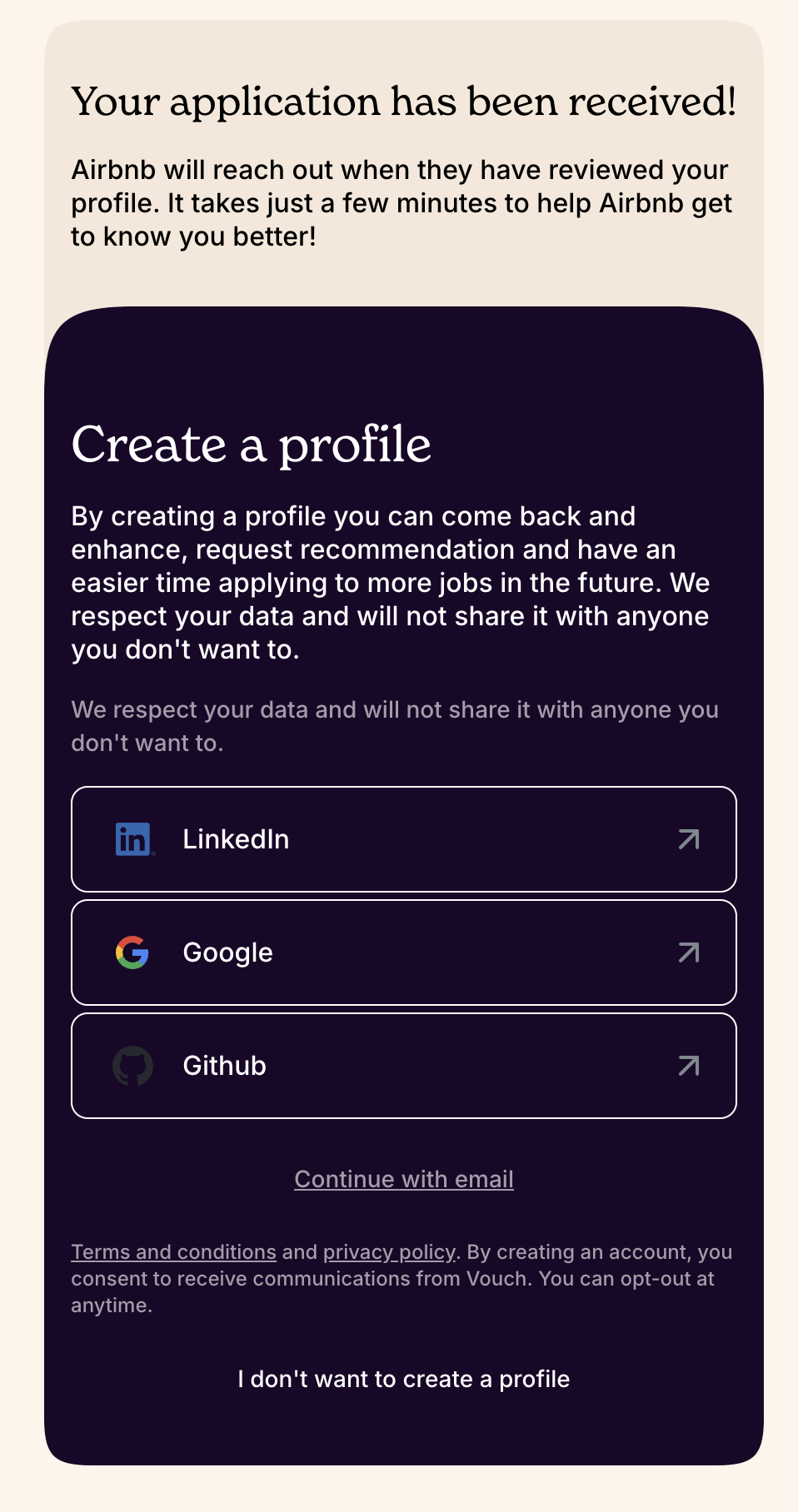
Sometimes a candidate come across a job ad powered by Vouch and want to apply straight away. We've made it easy for you to apply – and to get the benefits of references speaking up for you.

Just add the basics in a jiffy
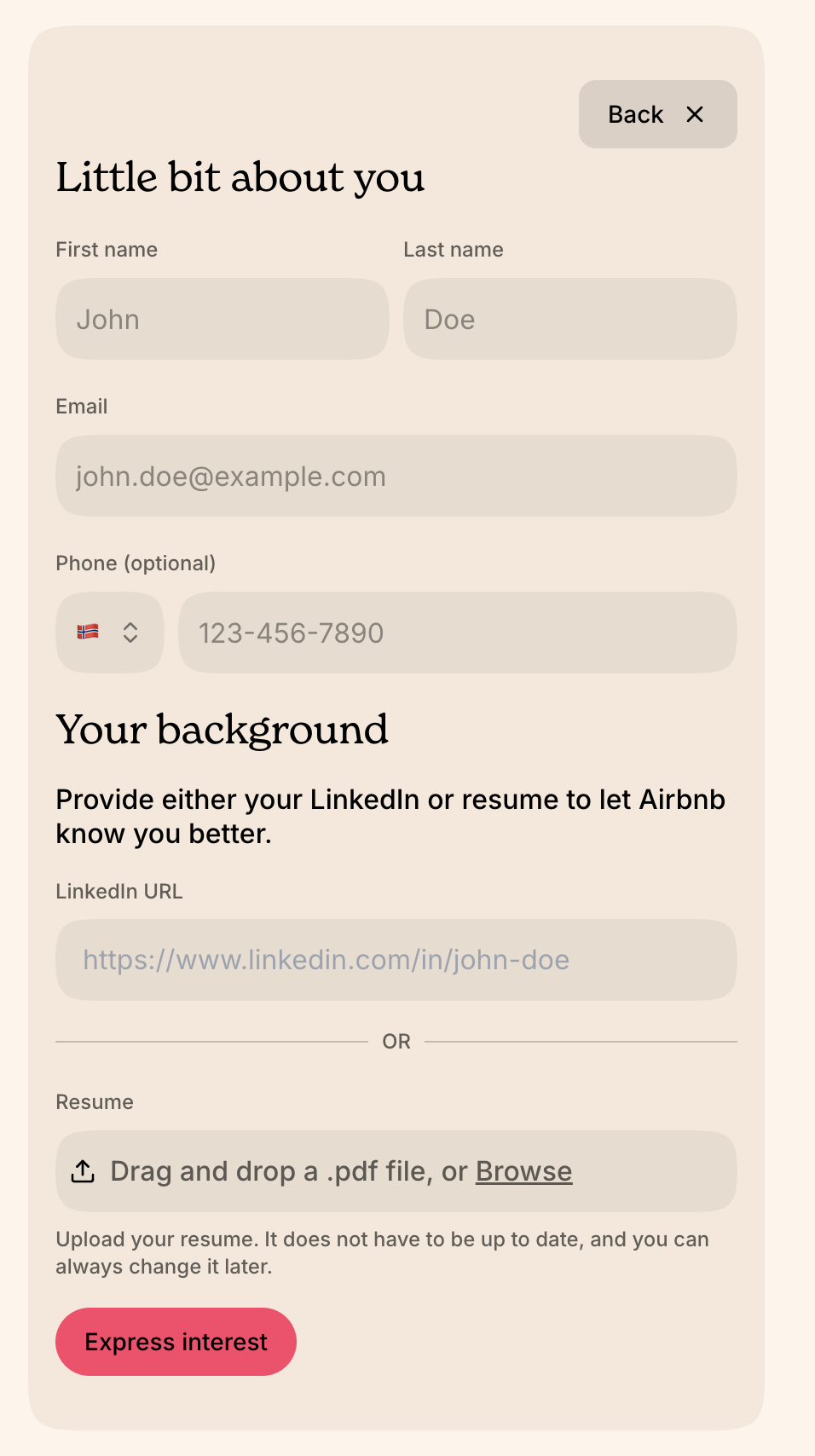
To apply, all you need is to add your name and contact details and either your LinkedIn profile or CV. Some companies may add an extra required question or two (for instance asking if you are eligible to work in the region you apply to), but that's it.
No log-in required. No long-form required. Our AI assistant will do the grunt work of summarising your background and CV for you – no need for you to grind through that.
How to find your personal LinkedIn URL
On the web - Log in to LinkedIn and click into your profile page. Place your cursor in the address bar of your web browser and copy the profile URL.
On the iOS/Android app - Log in to LinkedIn on your phone and open your profile. Click the 3 dots and select “Share profile via…”, and then copy the profile URL.
Adding your CV / resume
If you prefer, you can upload your resume as a PDF to your profile. To add your resume to your profile, click the "Upload CV" section, drag and drop (or browse for) the PDF file, and the file will be submitted. Please note, we only support PDF file formats here.
Ask for references
Here comes the magic touch – getting referrals and testimonials from your network adds that unique element to your application. In an age of AI-generated content, personal references help you stand out authentically.
We've seen this work consistently. When you ask the right references, they respond. For candidates who meet the qualifications on paper, strong references can elevate your application from one among many to the top of the pack. Their endorsement provides third-party validation that automated systems cannot replicate.
All you have to do:
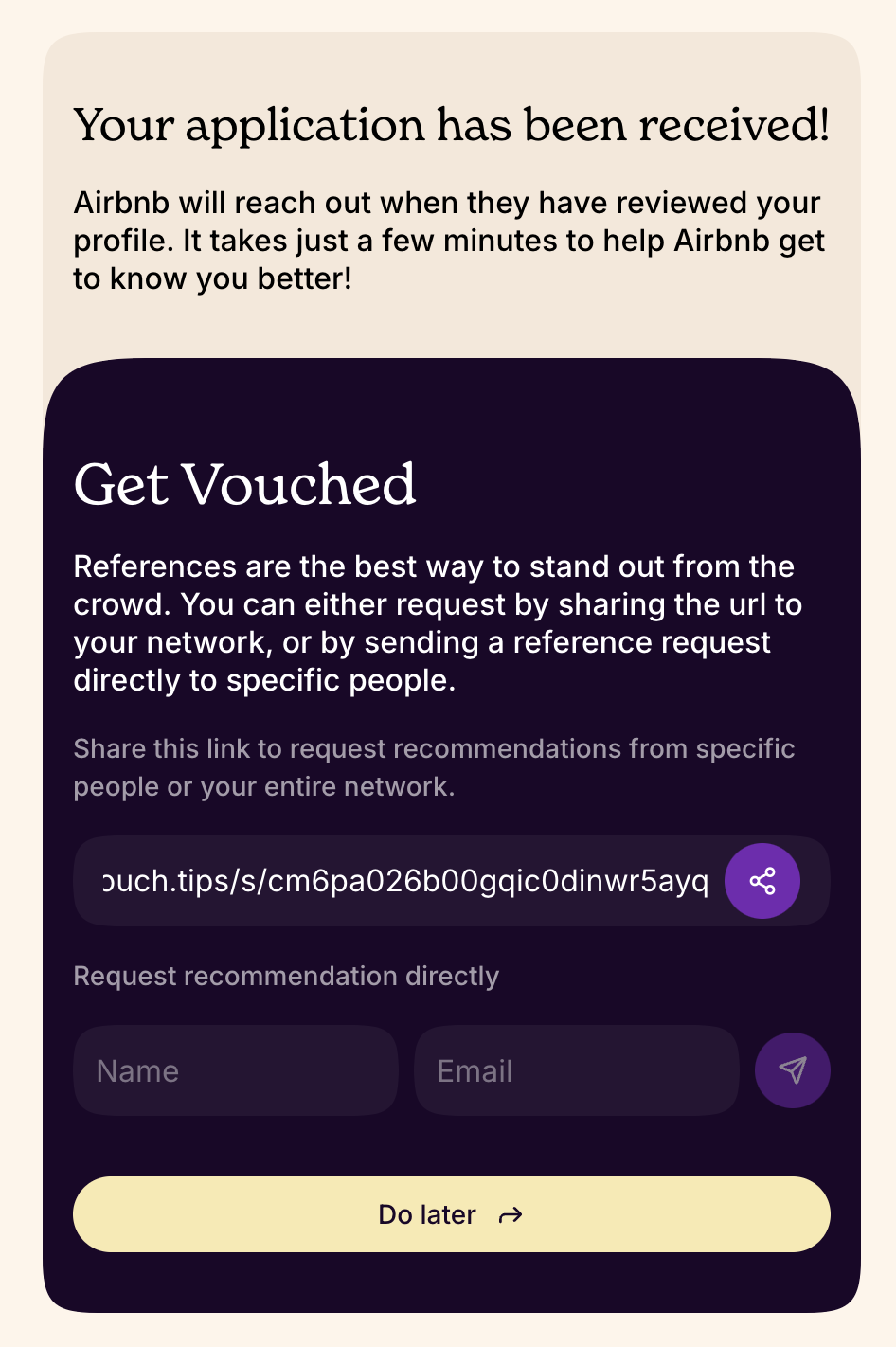
Share the unique link with your network or group of ex-colleagues or friends who can refer you to the job
Ask them directly by entering their email and send the request through the system (see below)
References are directly added to your applications when received, but you can also log-in and review/delete them using the email you applied with.

It's worth noting that there's a difference between referrals and references in Vouch. When enabled, companies can incentivise their networks to refer talent for a reward upon hire. Applicants can also ask their networks to strengthen their applications with references. The strength of the testimonial is equally valuable to build the candidate profile, but only referrals will be monetary rewarded upon hire.
Read more here:📄 Referral or References
Enhance your application
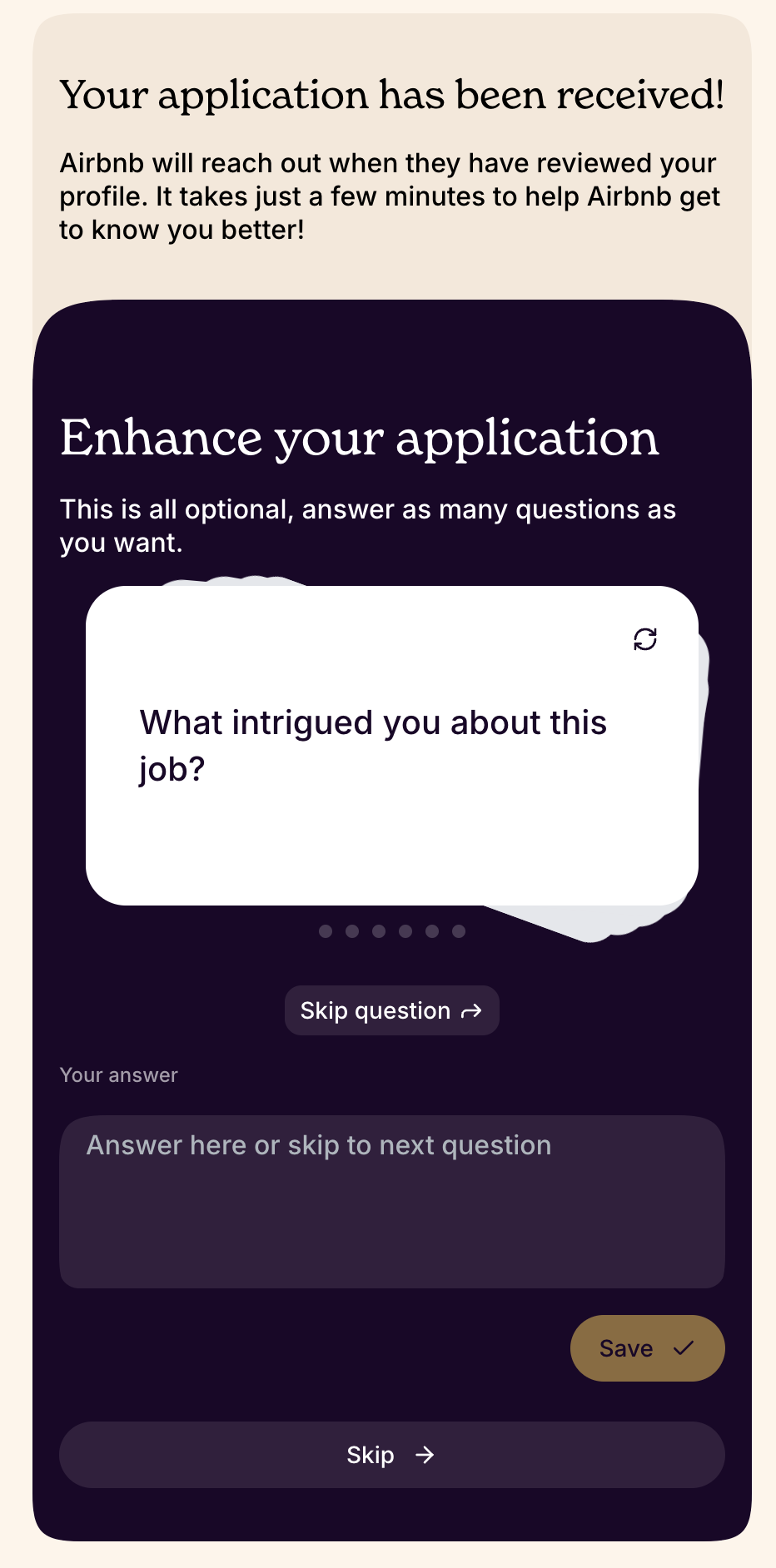
Even though we aim to make it simple and low-threshold to apply and ask your networks for references, we also know that better data and insight about you as a candidate will make it easier to match you against the job.
We keep it optional, but will always generate let hiring companies customise questions that should be easy to answer on the go to further strengthen your profile.
Your time has value, so keep it simple, but know that this is the place to provide more details and context that your LinkedIn or CV are not.
That's it, really
Unless you want to create a profile to track how your application is progressing, add more references or add more data later. Or to go back and vouch for more of your friends to relevant jobs.
You can always come back and create a profile using the email you applied to the job with.