Billing settings
Last updated: November 23, 2024
How Vouch billing works
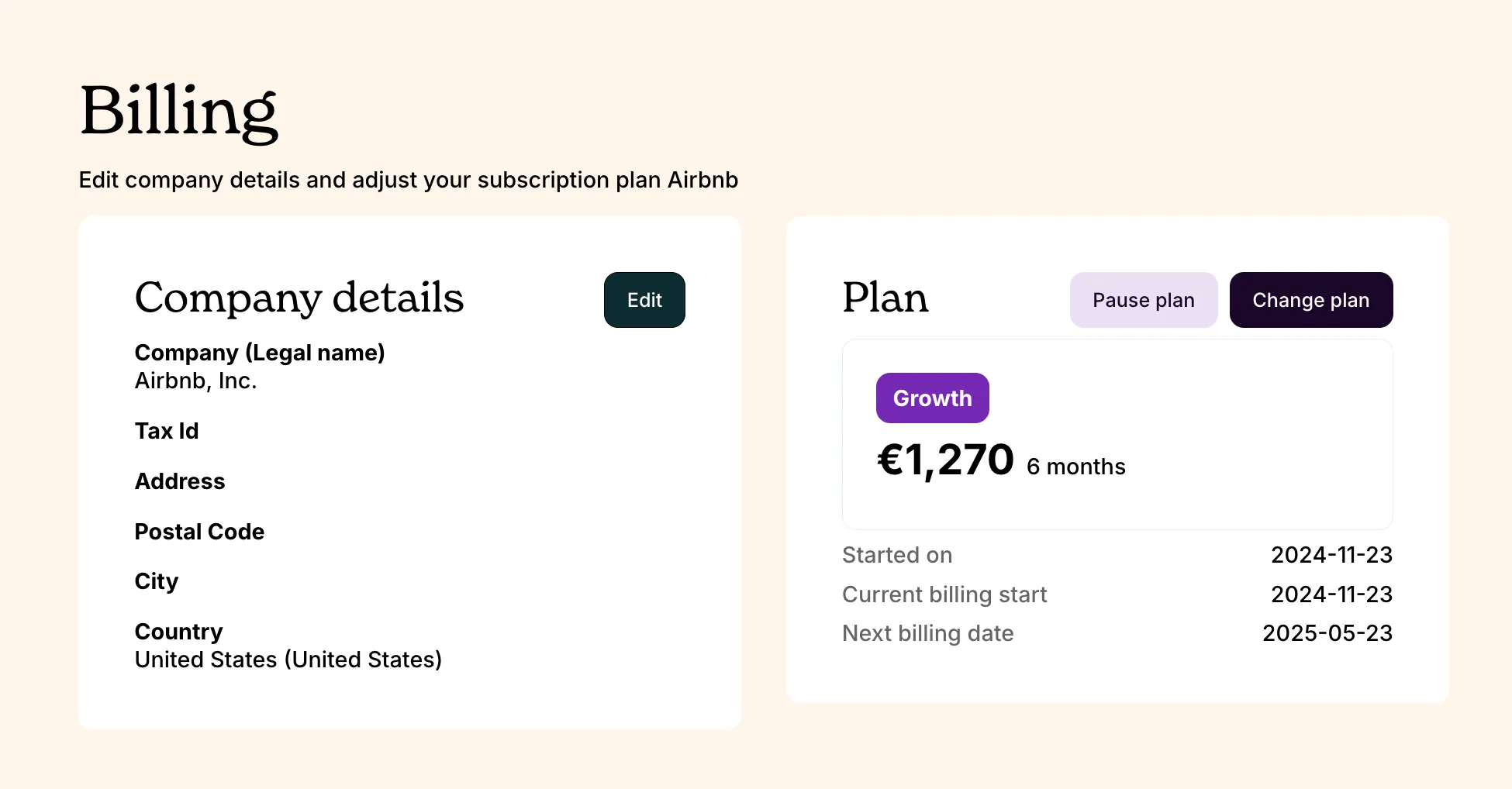
Vouch billing settings can be found in the same settings menu as account and user settings. We require that you include accurate details on your company's legal entity.
Billing cycle periods
Vouch subscriptions are billed on a monthly, bi-annual or annual basis according to the plan you have selected. If you make changes to your billing plan, they will be reflected at the end of your current billing period.
Making changes to your plan
You are able to purchase, change or pause your plan at any time. If you choose to pause your plan, your plan billing is paused and any live job listings are unpublished and you will be required to reactivate your billing plan to publish new listings. Your billing cycle will resume where you left off and you will save all of your account, company and job listing information as before, so you don't lose anything upon return.
Vouch does not offer a cancel option for subscriptions, as our pause function achieves the same thing. If you wish to delete your account, your workspace Owner can do this in the account settings. Please note that in order to delete your account your account cannot have an active subscription or any active job listings, candidate engagements, or other ongoing processes in Vouch. They must first be ended.
If you have any questions about change to your billing, please reach out to our team via our in-app support or by emailing us at support@vouch.careers.