Receiving a Vouch (referral)
Last updated: February 3, 2025
What to do when you've received a Vouch
First of all, congratulations on receiving a Vouch! This guide will help get you set up for success and ready to respond to your Vouch in whatever way you choose.
What is a Vouch
Being Vouched for is a great compliment! It means someone saw a job listing and thought you were a great fit for the role, whether you're actively looking for work or not! Accepting a Vouch isn’t a commitment to take the job, but an action indicating interest to learn more, which allows the company to view your Vouch and contact you.
Receiving a Vouch by email, SMS or direct referral
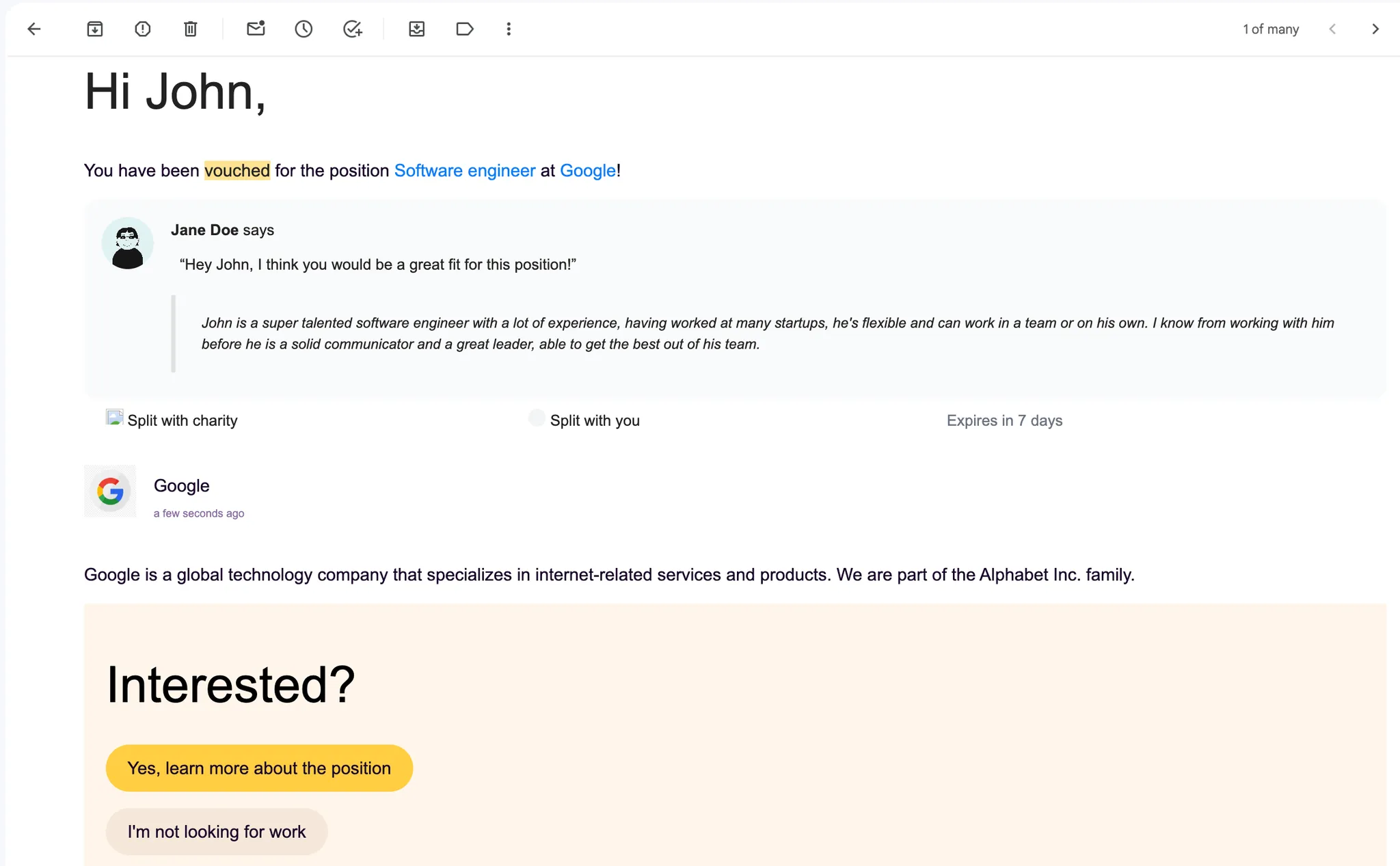
When someone Vouches for you by email, you will receive a message from us that looks something like this. Just click through to learn more about the position and decide whether or not you are interested in getting to know the company more!
If you were Vouched for directly by someone in your network, they should have still provided you with a link to the opportunity.
Reviewing the referral and job listing details
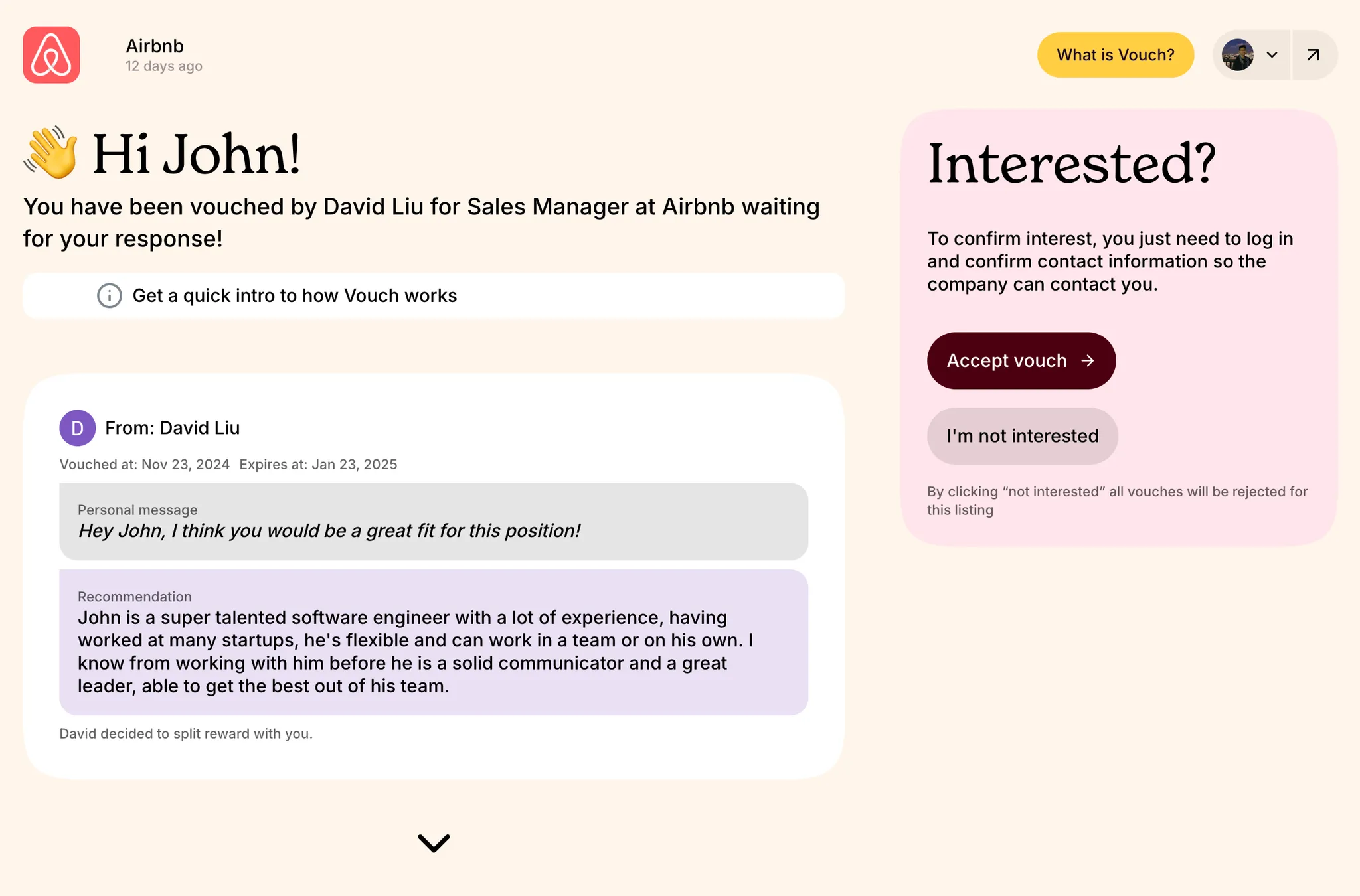
Regardless of how you the Vouch you received, you will be shown the referral made and more information about the role and company that published the job listing.
Responding to your Vouch
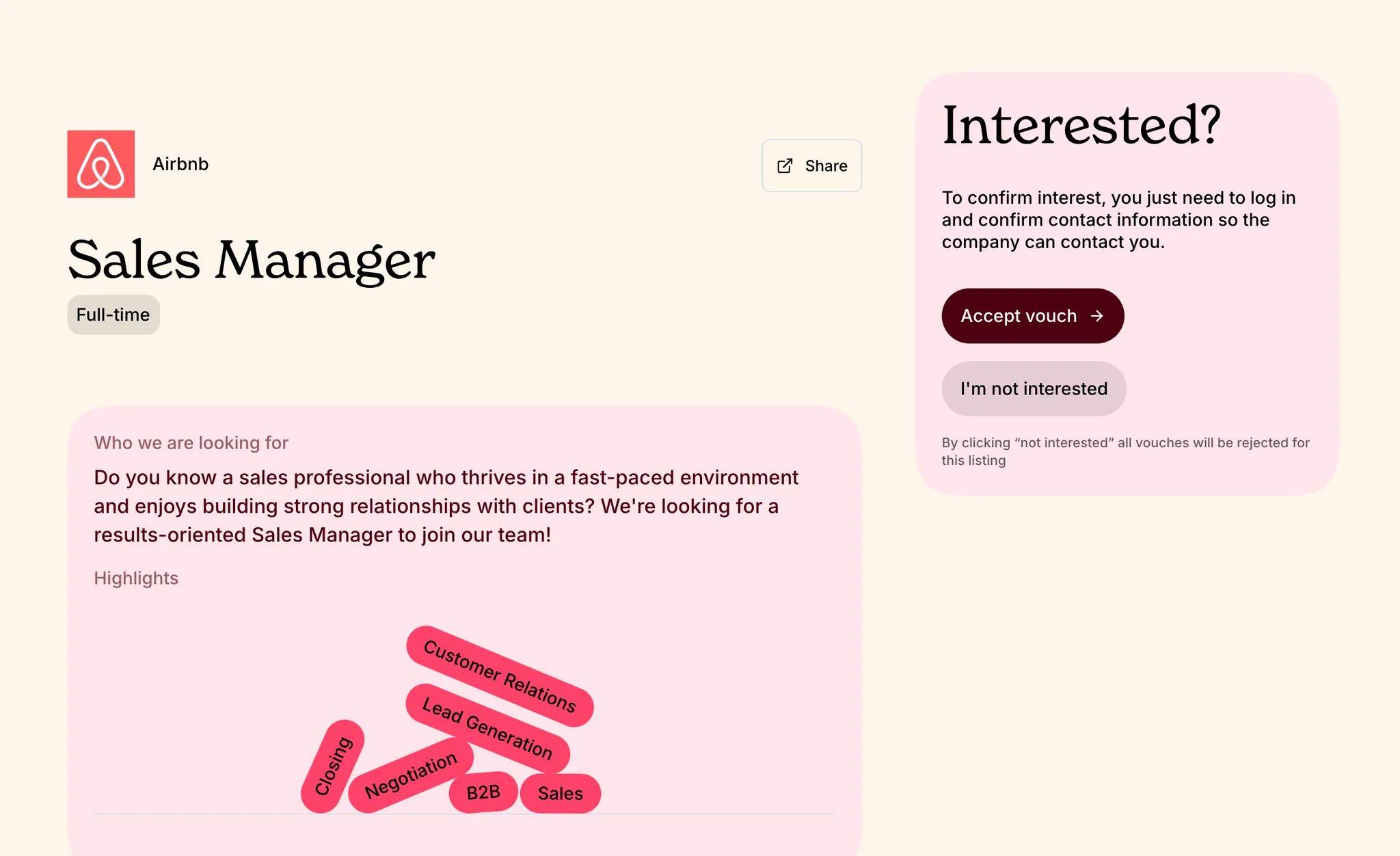
To respond, you can either accept or reject the Vouch. If you choose to accept the Vouch, the company will see that you are interested in learning more about them and the opportunity. You have a maximum of 30 days to respond to your Vouch request.
If you are not interested in learning more, you can click on “I’m not interested” and we will stop nudging you about this Vouch and position. If you decide you are interested at a later date, you can re-accept the original Vouch if the position is still available.
If you accept a Vouch, it does not guarantee that the company will reach out!
Signing up to accept your Vouch
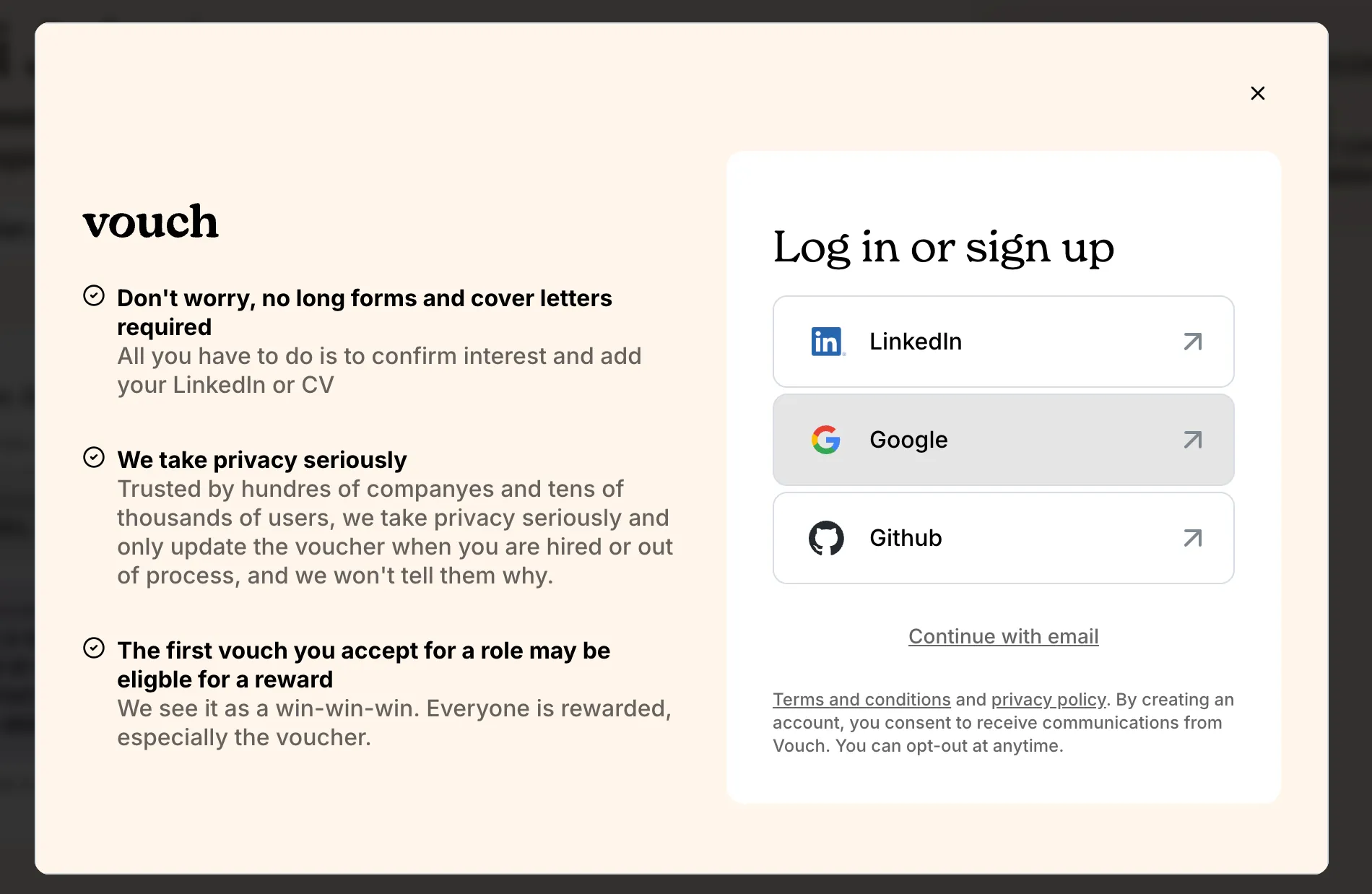
If you choose to accept a Vouch and do not yet have a user account, you will be prompted to sign up and create a candidate profile on our platform. For more information about the different options, see our guide on 📄 Login and SSO.
Creating your candidate profile
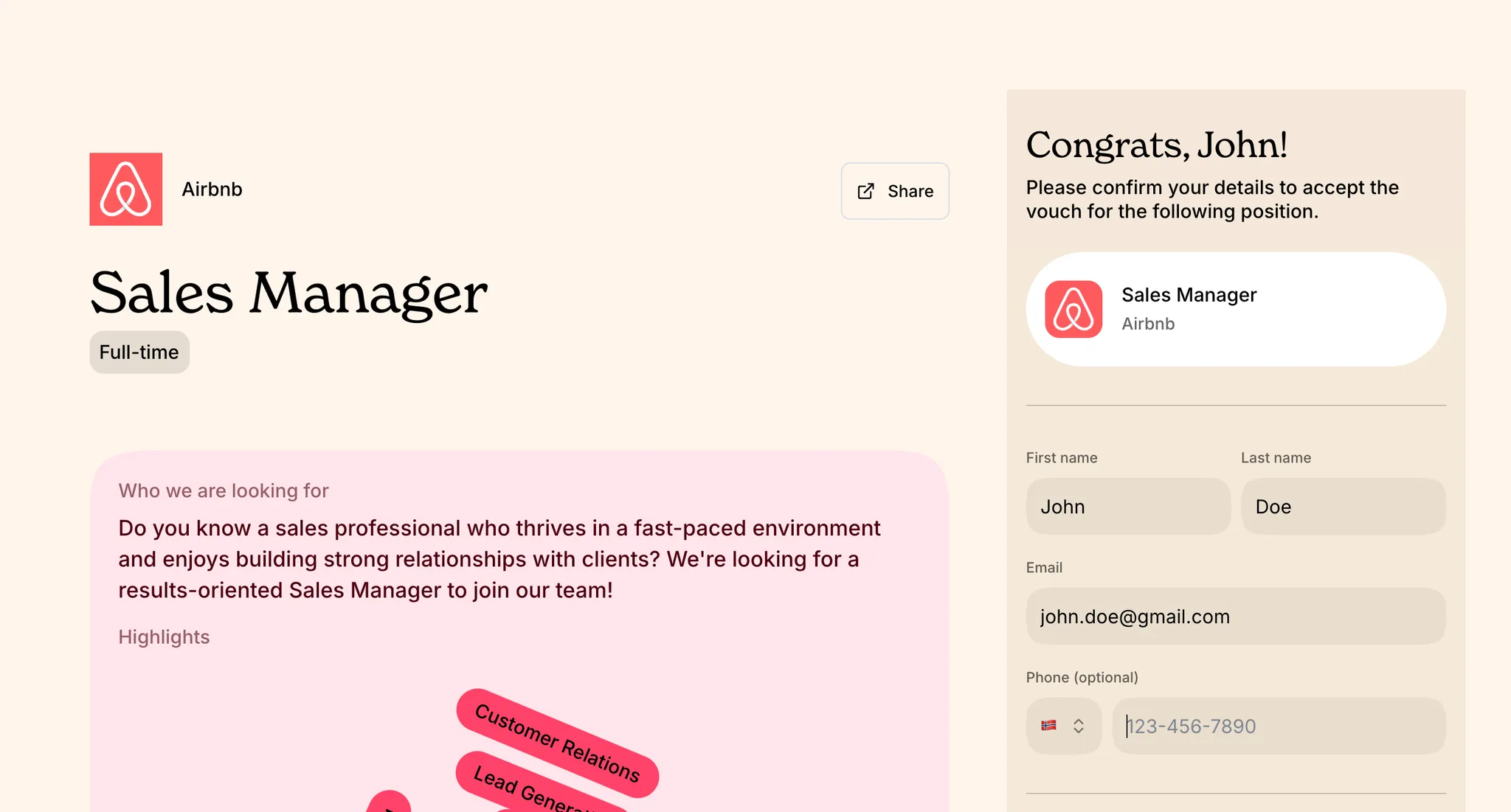
First, we will need your basic information like first name, last name and email address. If you would like to give the company the ability to call you directly, make sure to include your phone number with the appropriate country code.
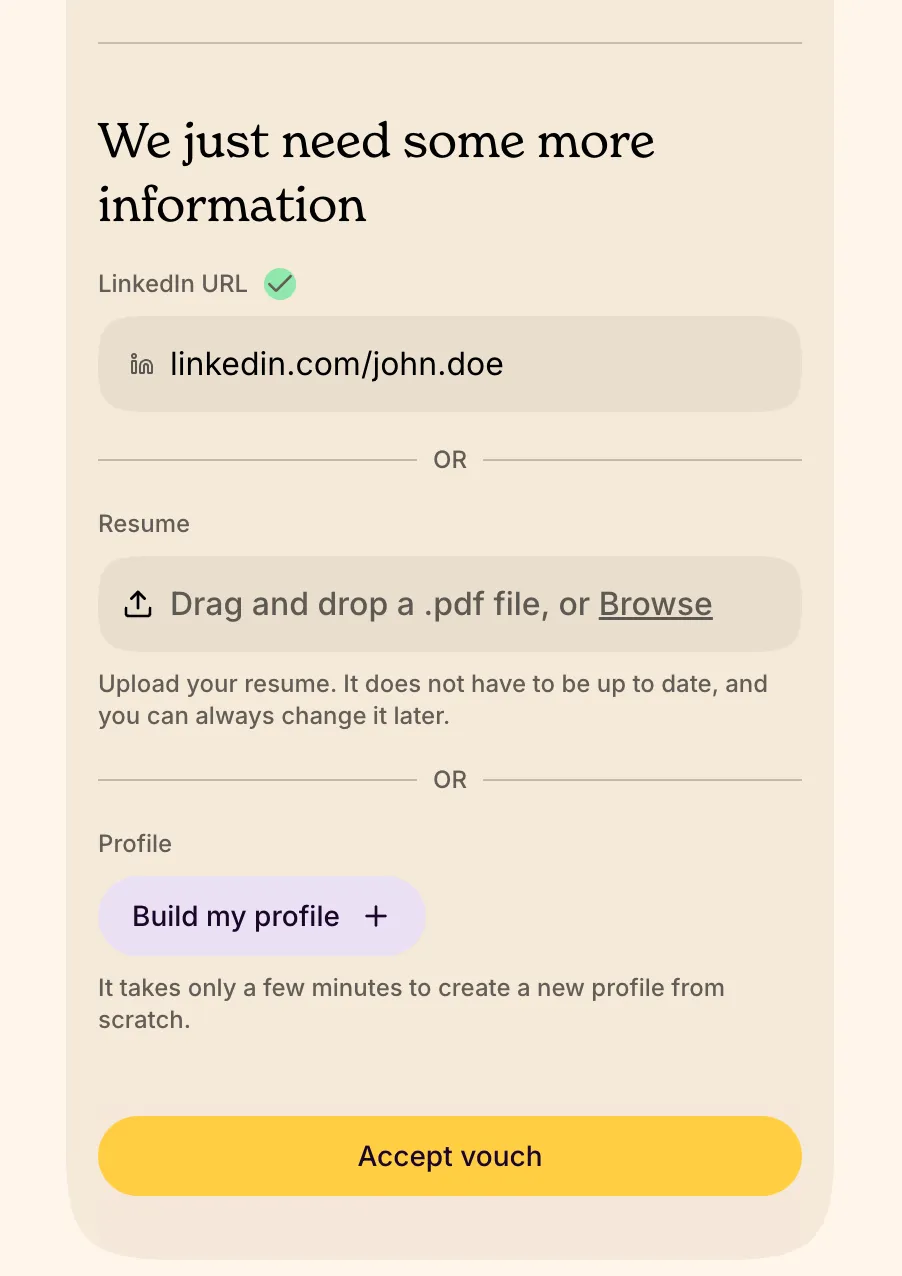
The quickest way to fill out your candidate profile is to share your LinkedIn URL. If you prefer, you can upload your resume as a PDF to your profile. You can also choose to create a profile and manually fill out whatever details you want the company to see.
How to find your personal LinkedIn URL
On the web - Log in to LinkedIn and click into your profile page. Place your cursor in the address bar of your web browser and copy the profile URL.
On the iOS/Android app - Log in to LinkedIn on your phone and open your profile. Click the 3 dots and select “Share profile via…”, and then copy the profile URL.
Once you've finished filling out your profile, click on the accept Vouch button your profile will be sent to the company that posted the job listing. Hooray!
If your Voucher already provided your LinkedIn URL, you will only be asked to confirm whether it is the correct account to associate with your profile.
For more information about completing your profile, visit our guide on 📄 Completing your profile on Vouch. For more information about standing out as a candidate, check out our tips on 📄 Standing out as a candidate. Happy job hunting!