Checking the status of a Vouch
Last updated: November 23, 2024
How to check the status of a Vouch
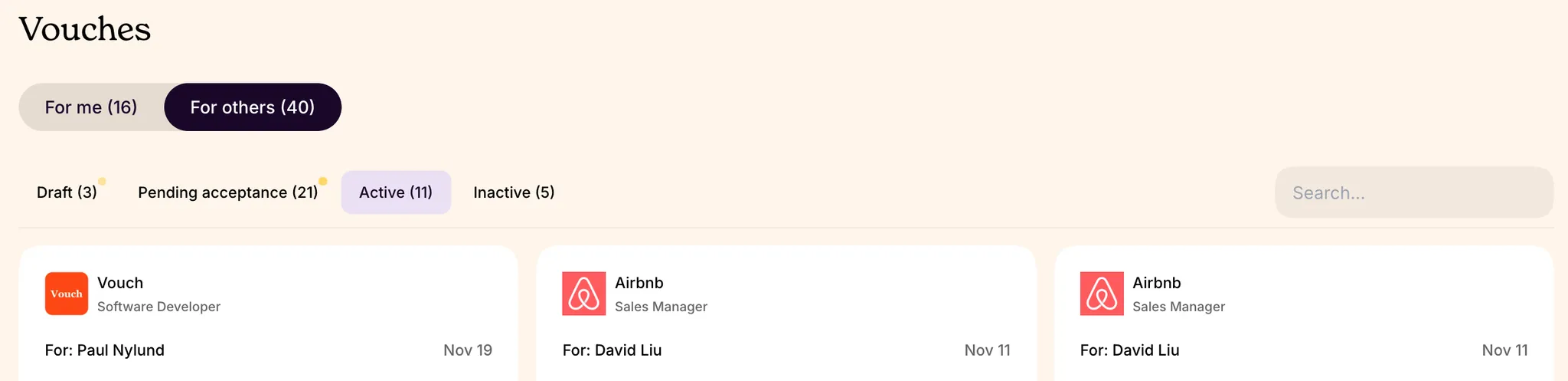
To view the status of a Vouch, visit your user profile, navigate to the Vouches section an select the "For others" tab.
The different types of Vouch statuses
The Vouches section contains 4 different tabs:
Draft - Vouches that have not been sent and will be deleted after 30 days
Pending acceptance - Vouches you have sent, but the candidate has yet to respond to. Vouches are auto-declined after 60 days of inactivity, so we recommend giving the candidate a personal nudge to reply (we do this automatically, but find that a personal touch is usually appreciated)
Active - Vouches where the candidate is in contact with the company
Inactive - Vouches where the candidate is out of process with the company for one of several reasons (i.e. Vouch expired, listing is inactive, candidate no longer interested, and so on)
Sent Vouch status tracker
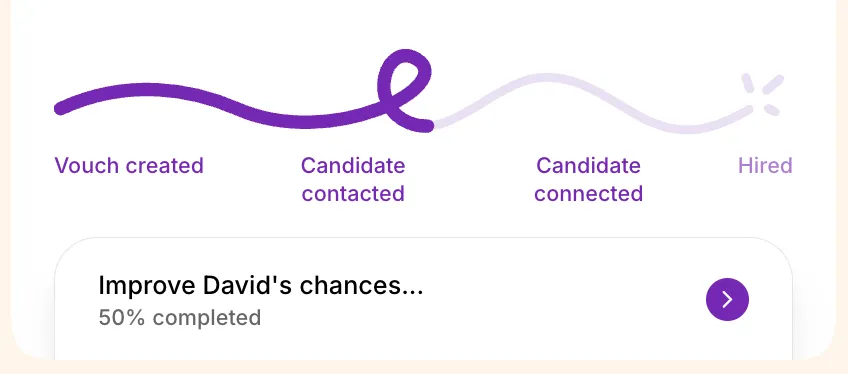
All sent Vouches have a status tracker that will allow you to follow their referral journey. If the Vouch has been sent but not accepted, you can still make changes by 📄 Editing or updating a Vouch.