Editing or updating a Vouch
Last updated: November 23, 2024
How to edit or update a Vouch
You can make changes to any Vouch that has not yet been accepted. To make changes to a Vouch, you can go to the list of Vouches you have made for others.
Viewing draft and pending Vouches
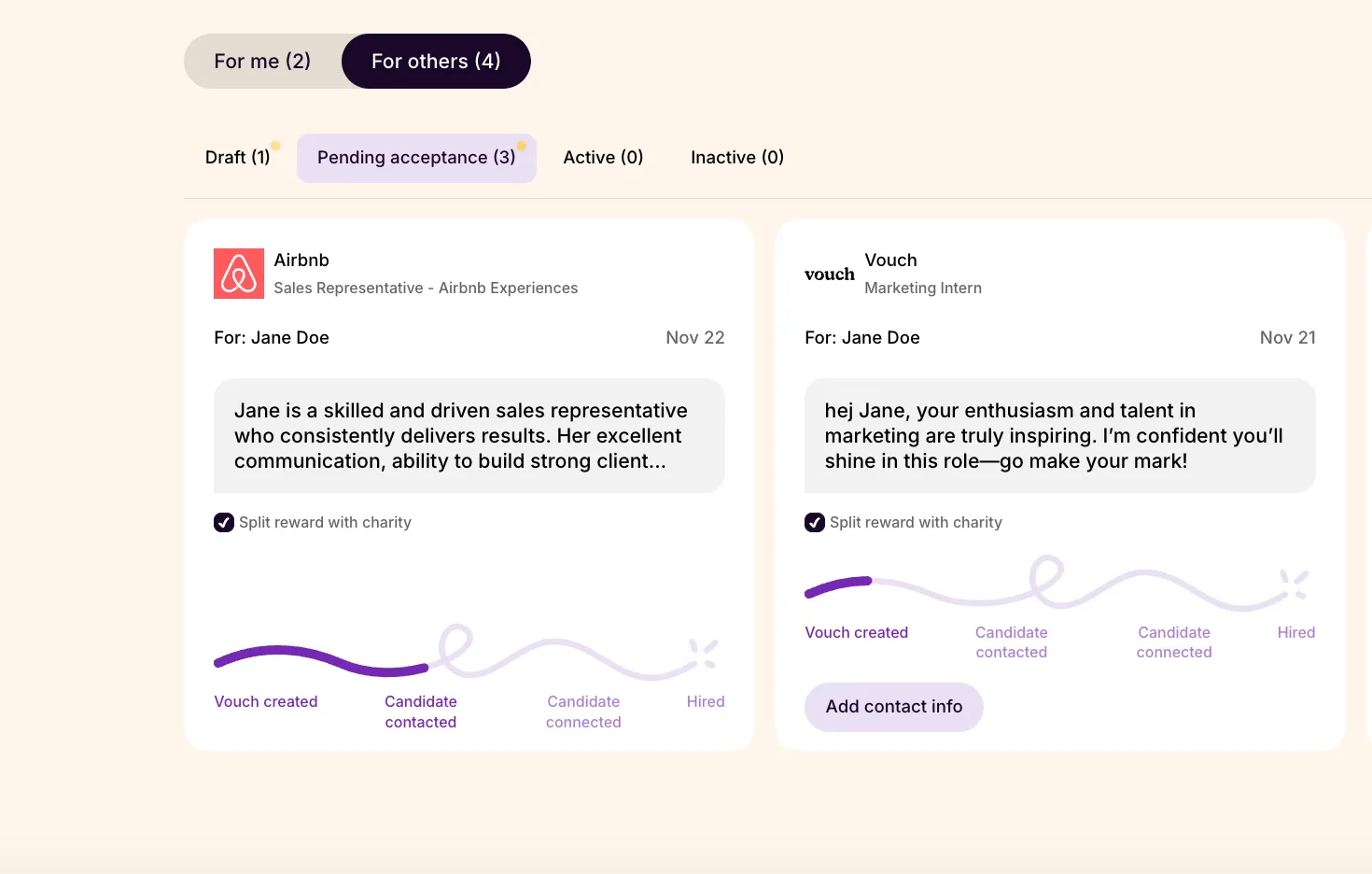
To view view your Vouch drafts and Vouches pending acceptance, navigate to your profile page under the Vouches section and select the "For others" tab to see an overview of all of the referrals you have made on behalf of others.
You can only edit a Vouch if it has not yet been accepted by the candidate.
Editing individual Vouch details
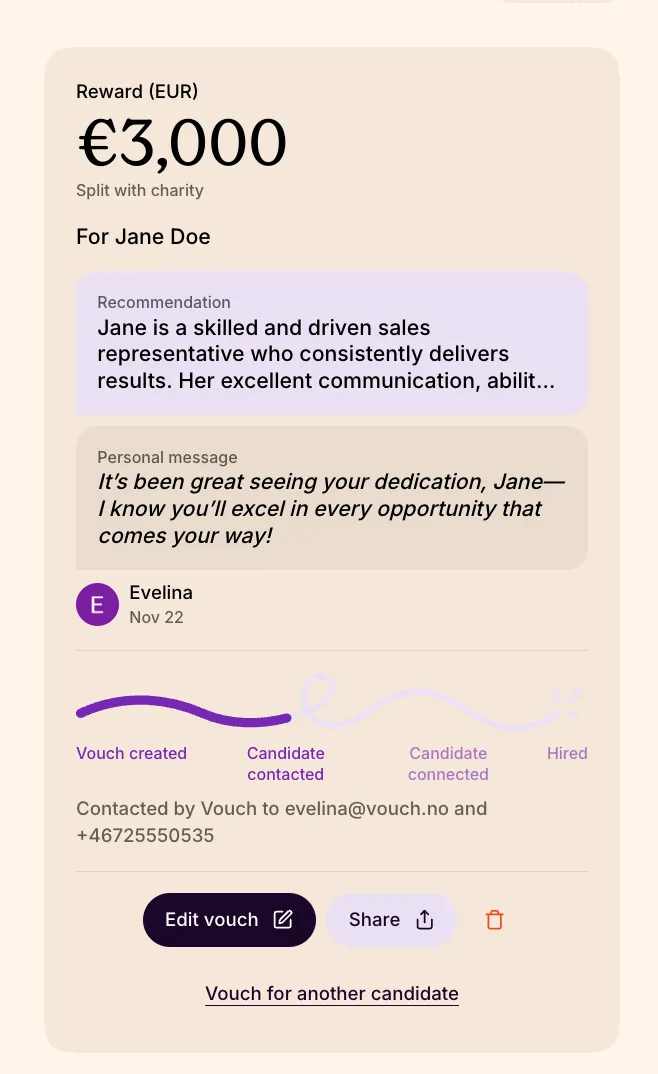
To edit the information you provide with your Vouch, select the Vouch you would like to update and click the "Edit vouch" button to begin making your changes.
When editing a draft or pending Vouch, you are able update the contact information if required, as well as add to or modify the recommendation content of your referral. Once satisfied with your response, confirm with the submit button to post changes.
Please note! When editing a Vouch, you cannot change the split structure of your reward. If you need help with changing anything else in your Vouch, you can always reach out to our team at support@vouch.careers.